


vFairs
3.714.00 Reviews
App Specs
- Version
- 41.9.0
- Updated On
- License
- Free
- Downloads
- 100,000+
- Developer
- vFairs
- Categories
- Events
- Platform
- Android
Screenshots
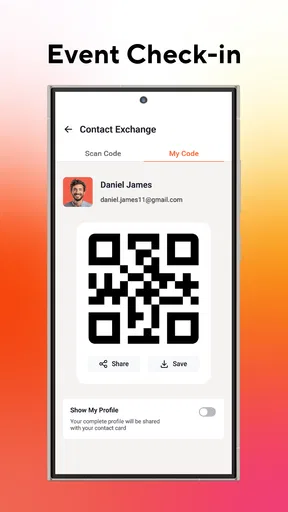
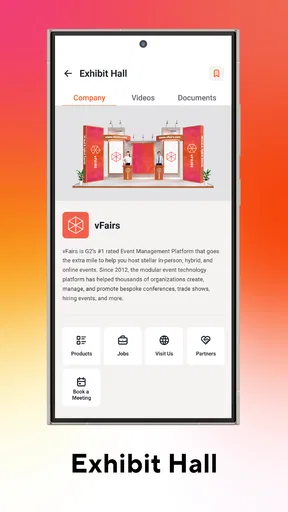
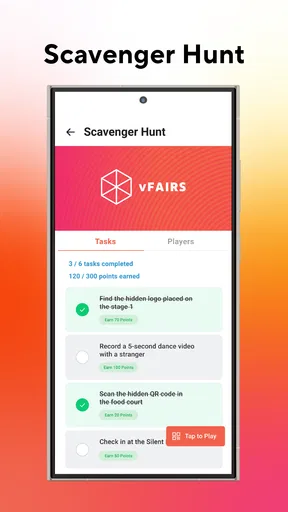
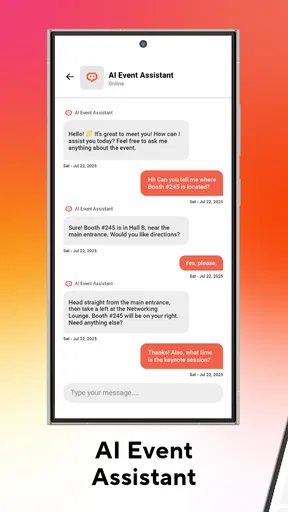
 Analysis by AppCompare
I judge an event app less by how polished it looks than by whether it helps people find the right session, person, or exhibitor without adding another layer of confusion. That is the central promise of vFairs: one place to take part in virtual, hybrid, and in-person events. In my view, that all-in-one approach is most useful when an event has several moving parts and attendees need a shared route through them, rather than another tool for a single meeting.
One event hub, rather than a stack of separate tools
The practical appeal is straightforward: an organizer can point attendees to a single event destination instead of asking them to juggle separate places for schedules, exhibitor information, and conversations. That does not automatically make every event easier, since the experience still depends on how thoughtfully the organizer has arranged it. But when the event is designed around a coherent program, keeping its activities together can reduce the mental overhead of figuring out where to go next.
For attendees, that distinction matters most when a program has parallel sessions or a busy exhibition area. A participant who is switching between talks and exhibitor conversations benefits more from one organized event space than someone joining one short presentation. I would therefore look at the event’s actual agenda and participation options before deciding whether this kind of hub will be useful to me.
Getting started depends on the event you are joining
The app makes it super easy to navigate from the get-go. You don’t need to be a tech whiz to get your event off the ground. As soon as you log in, you’re greeted with a clean, intuitive interface. It’s like the app is holding your hand, guiding you through every step. I appreciated how the setup wizard laid everything out in a simple, digestible manner.
There is an important distinction here: the app is an attendee-facing way into an event, while the organizer determines what that particular event contains and how it is arranged. I would not install it expecting a complete event-planning service that independently creates a program for me. Its value is tied to an event using the platform; if no relevant event is on my calendar, there may be little reason for me to keep it at the center of my routine.
That also shapes what I would do before event day. I would check the invitation for the right event access details, install the app ahead of time, and take a brief look around before sessions begin. This small preparation is more useful than trying to learn the layout while a talk is already underway. For organizers, a short attendee guide can help people understand where to find the agenda and how to move between the event’s areas.
Customization is most valuable when it improves wayfinding
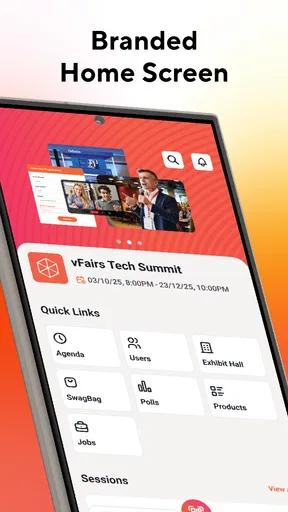
One of the standout features is the customization. You can tailor your virtual environment to match your brand’s identity. From virtual booths to conference halls, the level of detail you can achieve is pretty impressive. It's not just about slapping a logo on a virtual wall; it's about creating an immersive experience for attendees.
Worth Reading Before You Choose

EA SPORTS FC Mobile 26 Is a Bigger Football Game, but It Takes Time

Flipboard Shows What News Apps Must Do Beyond the Feed

Switching to Android Auto Means Rethinking Your Driving Routine

Google Calendar Makes a Crowded Week Easier to Manage

Ludo King Makes the Most of the Minutes Between Plans

Baby Panda World Brings Quick Play to Modern Phones, but Its Game Library Feels Busy
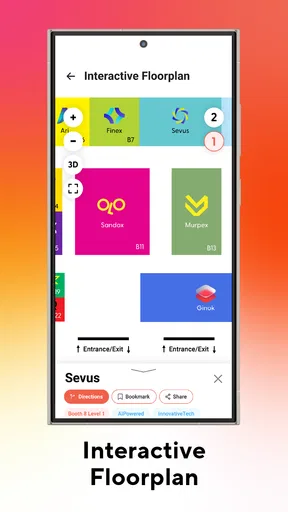
My practical test for that kind of customization is whether it helps people orient themselves, not just whether the event looks distinctive. A booth or hall that is easy to recognize can make it simpler to return to an exhibitor or locate a session area. On the other hand, visual polish cannot compensate for unclear labels or an agenda that makes attendees guess where they belong. Organizers should treat the event’s layout as a map, not merely a backdrop.
For a participant, a useful habit is to decide in advance which sessions or exhibitors matter most, then use the event space to explore around those priorities. That keeps a large virtual environment from becoming an aimless tour. It is especially helpful when a program has more choices than one person can reasonably attend: I can make deliberate choices rather than assuming I need to visit every corner.
Networking works best with a little intention
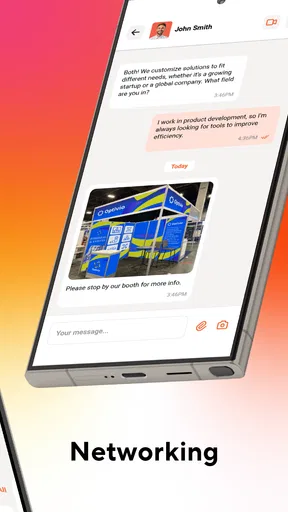
Another highlight is the networking capabilities. The app integrates various tools that facilitate interaction among attendees. Think chat rooms, video calls, and even networking lounges. It felt like attending a real-life event, minus the awkward coffee queue small talk.
Those options can make it easier to start a conversation, but they do not remove the social effort involved. I would arrive with a simple purpose: ask an exhibitor about a particular topic, follow up with someone whose session raised a question, or join a conversation relevant to my work. That is less awkward than opening a call with no idea what to discuss, and it helps me judge whether a networking space is worth my time.
There is also a trade-off between convenience and attention. A chat or call can be useful between sessions, but trying to follow a presentation while keeping up with multiple conversations can leave me with less from both. I would treat networking as its own activity and give it a clear window, rather than expecting every interaction to fit seamlessly into a packed agenda.
What the event experience can and cannot tell you
Using vFairs was like having a virtual assistant that anticipates your needs. The app runs smoothly, with no noticeable lags during my testing. One neat feature is the analytics dashboard. It provides real-time data, which is invaluable for anyone looking to gauge the success of their event. You can track attendance, engagement rates, and even pinpoint what sessions were the most popular. It’s like having a backstage pass to all the action.
For an organizer, engagement information is most useful when it leads to a specific decision. If a session draws strong interest, that may be a clue to give similar topics more room in a future program. If attendees spend time in an exhibitor area, the organizer can consider how that area fits into the overall experience. I would read those signals alongside the event’s goals, though: activity alone does not explain why someone attended or whether they found the event worthwhile.
For attendees, analytics are not the main reason to choose an event app; the immediate question is whether it makes the program easier to use. For organizers, measurement can be a genuine advantage over a collection of disconnected tools, but it is not a substitute for listening to participants. A number can point to a pattern, while a direct comment may explain what caused it.
Accessibility and language need to be checked against your needs
Accessibility can often be a hurdle in the digital world, but vFairs seems to have that covered. The app supports multiple languages, which is a huge plus for international events. It also offers features to assist those with disabilities, ensuring everyone can participate fully.
For an international or mixed-accessibility audience, those capabilities are worth considering early rather than treating them as a last-minute detail. I would still encourage attendees to check whether the specific event is arranged in a way that works for them. A platform’s support for different languages or accessibility needs is only part of the experience; the organizer’s content and event setup also matter. That is a sensible conversation to have before committing to a full day of sessions.
Where the learning curve appears
No app is perfect, and while vFairs is user-friendly, there's still a bit of a learning curve for those new to virtual events. Luckily, there’s a robust support system in place. The help center is comprehensive, and their support team is responsive. During my trial, I reached out with a couple of queries and received clear, helpful responses in no time.
The main friction I would plan around is not simply learning an interface; it is understanding the event’s own structure. A first-time attendee may need to work out how sessions, booths, and conversations fit together, while an organizer has to make sure the environment is clear to people who have never used it. That makes a short orientation useful for both sides. The more complex the event, the more valuable it is to explain the route through it in plain language.
Someone who only wants to join a straightforward video meeting may find this more environment than they need. A familiar meeting app is often the simpler choice for a single speaker and a small group, especially when there is no exhibition or broader program to navigate. By contrast, an event platform has a clearer reason to exist when people need to move among several event activities.
A realistic day where the all-in-one approach helps
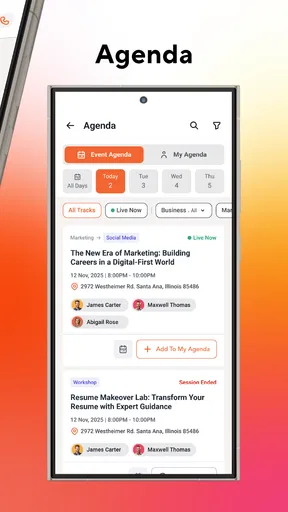
Imagine I am attending a professional event with a morning talk, a later session on a different topic, and time set aside to speak with exhibitors. With a single event destination, I can begin by checking where the sessions fit into my day, then use the space between them to visit relevant booths or join a conversation. If the program changes my priorities, I can make a choice based on what is available rather than relying on a scattered set of messages and notes.
The useful detail is to plan around transitions. I would leave space between a session and a conversation instead of booking every moment, because switching contexts takes attention even when everything is in one app. I would also note the exhibitors or topics I want to revisit. That simple approach turns the event environment into a working itinerary rather than a series of attractive rooms I wander through without a goal.
For a hybrid event, the same central idea can help attendees who are participating in different ways, but it cannot make their experiences identical. Someone joining remotely and someone on site have different practical needs. I would use the app as the event’s shared information point, while still checking the organizer’s instructions for the parts that depend on being physically present.
How it compares with familiar event tools
Compared with a basic video-call app, this is a better fit when the event needs more than a call: multiple activities, exhibitor areas, and chances to meet other attendees. The trade-off is that a dedicated event environment asks people to learn its layout, whereas a simple meeting link is familiar and quick for a small gathering. I would not choose the more structured option just because it has more parts; I would choose it when those parts make the event easier to follow.
Compared with keeping an agenda in one place and conversations in separate services, a single event hub can reduce app switching and help people stay oriented. Yet separate tools may be perfectly adequate for a small workshop with a clear schedule and little networking. The decision is less about which approach is universally better and more about the event’s shape: the more varied its activities, the more value I see in having them organized together.
There is a similar distinction for organizers. A general-purpose meeting tool is often enough for a one-off presentation, while a purpose-built event setting makes more sense when attendees must navigate a broader program. A small team should weigh the time needed to prepare a well-organized experience against the convenience of a simpler format. If the event has no meaningful need for booths, multiple areas, or attendee interaction, keeping things simple is a sensible choice.
Who is likely to get the most from it
The app is most compelling for people attending or organizing events where a program, exhibition, and networking all play a meaningful role. It is also a reasonable option for someone who attends virtual, hybrid, and in-person events and wants a consistent way to enter the event experience. The developer is vFairs, and the app is free, so trying it for an event does not require a purchase of the app itself.
It is less suitable for someone looking for a general social app, an everyday calendar, or a replacement for every meeting tool they already use. Its value is event-dependent, and the event organizer’s setup affects how useful the experience feels. I would also suggest that anyone who dislikes exploring a digital venue choose a simpler meeting format when the program is only one talk or discussion.
On the app-store scale, it has a 3.7 average from around 183 ratings and has passed 100,000 installs. It is rated for Everyone, first released on October 7, 2021, and its current version is 40.8.0 for devices running Android 9 or later. Those details help set expectations about availability, but my decision would still come down to whether the event I plan to attend actually benefits from a dedicated event space.
My recommendation for choosing it
In a world where virtual events are becoming the norm, vFairs positions itself as a reliable partner for event planners. It combines functionality with creativity, providing a platform that caters to both the technical and aesthetic needs of your event. Whether you're hosting a small workshop or a large-scale expo, this app has the tools to make your event a success.
I would qualify that recommendation by matching the platform to the size and structure of the experience, rather than assuming every workshop needs a large event environment. For a compact session, a basic video meeting can be quicker to set up and easier for attendees. For a program with distinct areas and reasons to connect, a dedicated hub has a more convincing role. Organizers should decide what attendees need to accomplish first, then build the event around those tasks instead of adding complexity for its own sake.
All in all, if you’re looking for an app that not only simplifies the event planning process but also enhances the attendee experience, vFairs should definitely be on your radar. It’s like having an events team in your pocket, ready to tackle any challenge the virtual world throws your way.
My bottom line is that I would use it when an event genuinely needs one coordinated place for its sessions, spaces, and interactions. I would not install it as a default answer for every meeting, and I would check the organizer’s event instructions before relying on any particular part of the experience. Used for the right kind of program, its all-in-one approach can make participation feel more organized; used for a simple call, it may be more structure than the occasion needs.
Pros
- User-friendly interface enhances navigation.
- Wide range of customization options.
- Supports multiple languages for global reach.
- Excellent customer support service.
- Seamless integration with other platforms.
Cons
- Detailed setup can be time-consuming.
- Requires stable internet connection.
- Limited offline functionality.
- Higher pricing for premium features.
- Mobile app needs performance improvements.
FAQs for vFairs
What is vFairs and what can I do with it?
vFairs is a virtual events platform designed to host online events such as conferences, job fairs, and trade shows. Users can interact with exhibitors, attend webinars, and network with other attendees, all from the comfort of their own devices. It offers an immersive and interactive experience, simulating a real-world event environment.
Is vFairs compatible with both Android and iOS devices?
Yes, vFairs is compatible with both Android and iOS devices. The platform is accessible through a web browser on mobile devices, ensuring seamless access for users regardless of their operating system. This cross-platform compatibility means you can participate in events on the go, without the need for specific app downloads.
How secure is my personal information on vFairs?
vFairs prioritizes user security and employs robust measures to protect personal information. The platform uses encryption protocols to safeguard data during transmission. Additionally, vFairs complies with industry standards and regulations, such as GDPR, to ensure user data is handled responsibly and securely.
Do I need to create an account to use vFairs?
Yes, you typically need to create an account to fully participate in events hosted on vFairs. This allows you to access personalized features, such as networking opportunities and event schedules. Account creation also ensures that you receive important updates and notifications related to the events you are interested in.
Are there any costs associated with using vFairs?
The cost of using vFairs can vary depending on the event you wish to attend. Some events may be free, while others might require a registration fee. It's important to check the specific event details on the vFairs platform to understand any associated costs before registering.


